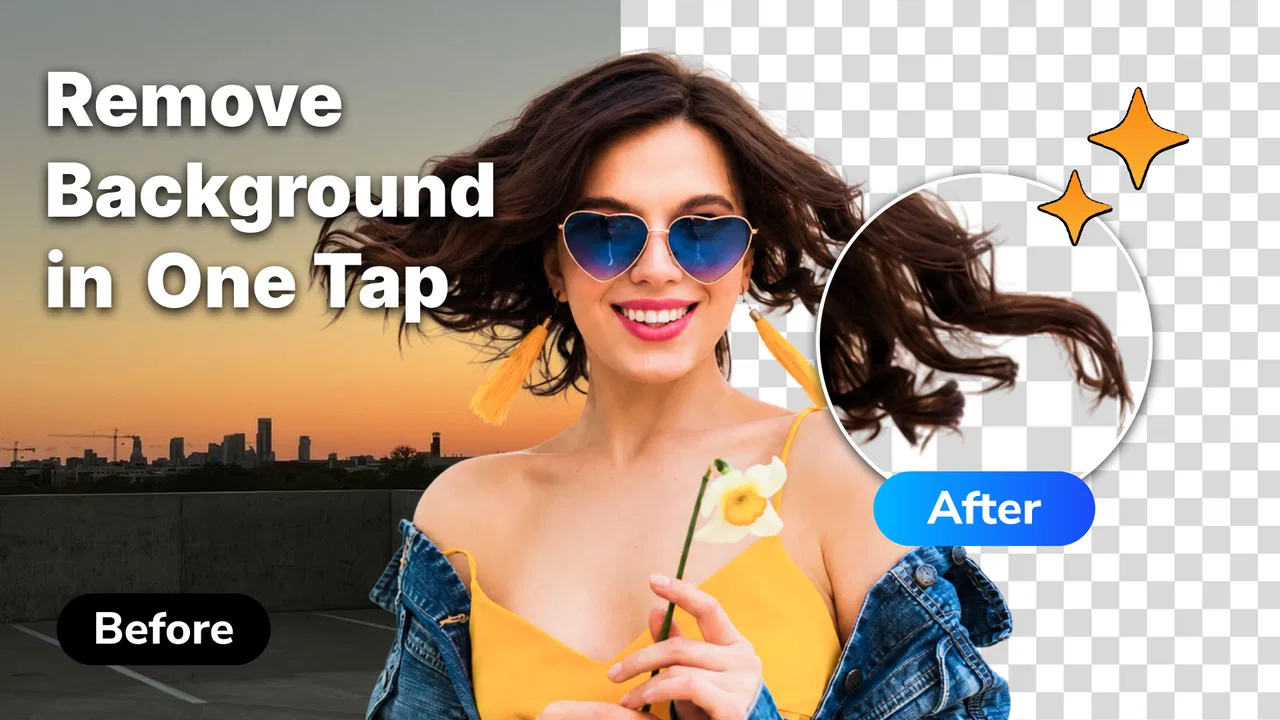
Remove background & Object
- 3.5
- Rating
- 5.00M
- Installs
- Free
- Price

 Analysis by App-foxy
I spent time with Remove background & Object as a practical photo-cleanup tool rather than treating it like a full design studio. Its focus is narrow and easy to understand: isolate the subject, clear away distracting objects, and prepare an image that looks cleaner. That makes it interesting for quick edits, product photos, profile pictures, social posts, and simple creative projects where opening a large editor would feel excessive.
What I like immediately is that the app does not ask me to learn a complicated canvas or a long list of professional controls before reaching the main task. It belongs to the Art & Design category, is free to install, and is suitable for Everyone. The developer is Avn Global Application, and the app has built a substantial audience, with more than a million installs and an average rating of 4.0 from roughly seventeen thousand ratings. Those figures suggest a useful middle ground: it is established enough to attract regular users, while the rating also leaves room for the occasional rough edge.
How Remove background & Object feels in everyday use
The first thing I would ask before using any background remover is not whether it can make a perfect cutout in every image. No automatic editor can promise that honestly. The better question is whether it helps me reach a usable result faster than doing the work manually in a general-purpose editor. In that respect, this app makes sense for straightforward images with a clear subject and a background that does not closely match the subject.
You May Also Like

 Blood Strike: 2.5 Anniversary
Blood Strike’s Loadouts Turn Every Drop Into a Tactical Gamble
A close look at Blood Strike’s custom loadouts: how fast access to signature weapons reshapes its battle royale rhythm, rewards preparation, and narrows the gap between fights.

 Pandora - Music & Podcasts
Pandora’s Music Is Easy to Start, but Harder to Recover
Pandora’s strength is its low-effort path from a seed to a station. Its weak spot is how much confidence it asks you to place in connection, setup, and quiet recovery.

 8 Ball Pool
 Is Built on Rivalries, Rematches, and Routine
A close look at the rivalries, rematches, shared routines, and unanswered safety questions that turn a quick pool match into a persistent mobile community.

 Samsung Music
’s Quiet Strength Is Playing What You Already Own
Its reach comes less from spectacle than from dependable access to a personal library. That simplicity is both the app’s strongest retention engine and its ceiling.

 AccuWeather: Weather Radar
AccuWeather Review: A Quick, Clear Forecast for Everyday Decisions
For everyday plans, the best forecast is the one you can understand quickly. AccuWeather makes rain timing, radar, and local conditions easy to act on, with a few trade-offs.

 Hill Climb Racing
Why Hill Climb Racing Still Turns Crashes Into One More Run
A tiny car, a bumpy hill and one more upgrade: Hill Climb Racing keeps resurfacing because its simple chaos makes every near-miss feel personal.
More From Our News Desk



For a quick portrait, I can imagine the workflow being especially convenient. I choose a photo, let the app handle the main separation, inspect the edges, and then decide whether the result is clean enough for the intended destination. A profile image usually does not need the same precision as a product catalogue picture. That distinction matters because a slightly imperfect edge may be invisible once the image is reduced, while it can look obvious on a large poster or marketplace listing.
The most useful way to judge the app is by the time it saves after the first automatic pass. If I only need a clean subject for a message, thumbnail, invitation, or casual post, a fast result is more valuable than a deep set of adjustment panels. If I need pixel-level control around hair, glass, leaves, or thin cables, I would be more cautious and compare the output closely before sharing it.
Speed expectations without unrealistic promises
The app’s purpose naturally creates a two-stage experience. The initial processing is the part that should reduce effort, but the final quality still depends on the image itself. A simple object against a contrasting background is an easier assignment than a person standing in front of patterned scenery. I would therefore expect the perceived speed to vary with the photo, the amount of cleanup required, and the phone being used.
For occasional edits, that variation is unlikely to be a serious problem. I can start with the image that matters most, inspect the boundary, and avoid wasting time preparing a whole batch before knowing whether the result suits my needs. This is a small but important workflow choice: test one representative image first. It tells me whether the app’s automatic interpretation works for the particular lighting, colors, and textures in my photos.
There is also a practical difference between processing speed and working speed. Even if the cutout itself is quick, I still need time to notice missing parts, leftover background fragments, or an unnatural outline. The app is most convincing when it gives me a strong starting point, not when I expect it to replace visual checking altogether.
What happens during heavier editing sessions
Light use is easy to imagine: remove one unwanted object from a photo, clean a background, save the result, and move on. Heavier use is different. If I am preparing many images for a small shop, a series of social posts, or a folder of profile pictures, the repeated cycle of importing, processing, inspecting, and exporting becomes more demanding. The app’s value then depends on whether each result needs only a quick glance or repeated correction.
I would approach a larger batch in groups rather than sending every image through at once. That makes it easier to spot a change in quality between photos and reduces the chance of discovering a consistent problem only after finishing the entire set. It also gives the phone a chance to recover between edits, which is sensible on older hardware or when storage is already tight.
A useful non-obvious tip is to prepare the photo before asking for removal. Cropping out irrelevant areas, choosing a well-lit original, and avoiding an unnecessarily large image can make the task easier to inspect. This is not about disguising a weak result; it is about giving the app a clearer subject and giving myself fewer edges to review. For object removal, I would also avoid selecting a target that overlaps a complicated pattern unless I am prepared to check the reconstructed area carefully.
During extended sessions, resource demands become more noticeable than during a single edit. Image processing can be more strenuous than browsing or writing, especially when working with large camera files. I would keep other demanding apps closed if the phone begins to feel sluggish, and I would save important results as I go instead of treating the app as the only place where a finished image exists.
Reliability and how I would recover from a poor result
Reliability here is not only about whether the app opens. It is also about whether the result remains predictable when the image is difficult. Automatic selection can be convincing around a clear silhouette and less dependable around fine detail. That is a normal trade-off for convenience, but it means I would never publish a business image or send an important design to print without zooming in first.
My recovery method would be simple. I would keep the original photo untouched, make one change at a time, and compare the cleaned version with the source before committing to it. If an unwanted object has been removed too aggressively, starting again from the original is usually safer than trying to repair a chain of edits. This approach is particularly useful for portraits, where a small mistake near hair, ears, fingers, or clothing can change the appearance more than expected.
Another practical habit is to inspect the image against more than one background. A pale edge may disappear on white but become obvious on a dark color. Likewise, a dark fringe can be hidden in the editor and suddenly stand out when the cutout is placed on a bright design. I would test the result in the context where it will actually be used rather than judging it only on the editing screen.
The app’s current version is 1.8.6_25052026, and it requires Android 7.0 or later. That makes the device requirement relatively approachable for many Android users, but the operating-system threshold alone does not guarantee an equally smooth experience on every supported phone. A newer device with more comfortable memory headroom should handle repeated image work more confidently than an older model close to the minimum system requirement.
Device limits that are easy to overlook
People often focus on the minimum Android version and forget the image files themselves. A phone may run the app while still struggling with very large photographs, especially when several other apps are active. If I were using an older device, I would begin with a normal camera image rather than an oversized file, close unnecessary apps, and avoid starting a long editing session while the battery is already low.
Storage is another everyday consideration. Keeping original photos, edited copies, and exported versions can consume space quickly. I would decide in advance which version is the master copy and which version is only for sharing. That prevents a folder from filling with near-identical files and makes recovery easier if I later notice an edge problem.
For someone using an iPhone, the important point is to check the appropriate platform availability before planning a workflow, since the confirmed system requirement here is stated for Android. I would not assume that an Android-focused installation detail automatically describes the experience on another operating system. For Android users, the stated requirement is clear enough to make a basic compatibility check before installing.
The free entry point is helpful for trying the workflow with personal images. At the same time, in-app purchases range from $3.99 to $44.99 per item, so I would pay attention to any purchase screen and decide whether the free experience covers my needs before spending money. The wide range suggests that optional upgrades may be aimed at different levels of use, but I would treat the purchase as worthwhile only if it removes a limitation that genuinely affects my regular work.
Where it beats a full editor, and where it does not
Compared with a traditional design editor, Remove background & Object is appealing because the task is more direct. A full editor can offer layers, masks, typography, color correction, and detailed retouching, but that flexibility also creates more steps. If I only want to separate a subject or remove a visual distraction, a focused tool can get me to the decision point sooner.
The trade-off is control. A professional editor is usually the better choice when I need a carefully refined mask, a repeatable brand workflow, exact color handling, or several adjustments in one project. I would also choose a more advanced alternative for images with transparent materials, dense hair, intricate plants, or overlapping objects where the boundary itself is the main creative concern.
Compared with manually erasing an object, the app’s advantage is convenience. Manual work can be more precise, but it takes patience and a steady hand. The smarter choice depends on the consequence of an error. Removing a passerby from a holiday photo is forgiving; removing a logo from a product image that will represent a business is not. In the second case, I would use this app as a first pass and then verify the result in a more controlled editor if necessary.
A realistic scenario: preparing a small product post
Imagine I have photographed a handmade mug on a kitchen table and want a clean image for a social post. The table contains a spoon, a receipt, and a bright patch of clutter in the corner. I would first keep the original, crop the frame so the mug is prominent, and use the app to remove the distractions or separate the mug from the background. Then I would place the result on a simple color and inspect the handle opening, rim, and shadow.
This scenario shows both the strength and the limitation clearly. The app can reduce the tedious part of isolating the main item, but I still need to decide whether the remaining shadow looks natural. If the result is for a casual post, a minor imperfection may be acceptable. If the same image is going on packaging or a sales page, I would zoom in and possibly finish it elsewhere. The app saves time, but it does not remove the need for judgement.
Who will enjoy it most
I think it is a good fit for people who want quick visual cleanup without learning a large editing suite. Casual photographers, students making simple presentations, small sellers preparing product images, and social-media users can all benefit from a focused background and object-removal workflow. The Everyone age rating also makes it approachable for general household use, although the quality of the final image should still be checked by the person sharing it.
It is especially suitable when the output is going to be viewed at a modest size. A cutout that looks excellent in a small profile image may not hold up when enlarged. I would also recommend it to anyone who values a quick first result and is comfortable rejecting an edit when the subject has complicated edges.
I would skip it as my main tool if my work depends on exact masking, layered compositions, repeated commercial production, or advanced retouching. I would also hesitate if I dislike checking automatic edits manually. The app’s convenience is tied to accepting that automation can be uneven, and a user who wants complete control may feel constrained rather than helped.
My performance verdict
Remove background & Object makes the most sense as a focused Android utility: start with a suitable photo, let it handle the repetitive separation or cleanup, and spend my attention on checking the edges and the final context. Its perceived speed should be strongest on clear, uncomplicated images, while heavier sessions call for sensible file management and occasional pauses on less capable devices.
I appreciate that the free installation makes it easy to test with real photos before deciding whether optional purchases are useful. The 4.0 average and broad install base make it a credible choice to try, but not a reason to skip quality control. My recommendation is positive for everyday edits, especially when the goal is a clean image rather than a professionally engineered composite.
My honest recommendation is to use it as a fast first-pass editor, not as an automatic substitute for careful finishing. If that matches your needs, Remove background & Object can save meaningful time and keep simple image cleanup from becoming a chore. If every pixel matters, a full editor with deeper masking tools remains the safer final step.
FAQs for Remove background & Object
01What features does Remove Background & Object offer?
Remove Background & Object provides a variety of features designed to enhance photo editing. Users can easily remove backgrounds, unwanted objects, and even people from their images with just a few taps. The app also offers tools for refining edges and adding new backgrounds, making it versatile for both casual and professional use.
02Is Remove Background & Object easy to use for beginners?
Yes, the app is user-friendly and designed with beginners in mind. It features an intuitive interface with step-by-step guides and tutorials to assist users through the editing process. The tools are simple to navigate, ensuring even those with no prior editing experience can achieve professional-looking results.
03Does the app support high-resolution image editing?
Remove Background & Object supports high-resolution image editing, allowing users to work with large files without compromising quality. This is especially beneficial for professional photographers and designers who need to maintain the integrity of their images during the editing process.
04Are there any in-app purchases or subscription fees?
While Remove Background & Object offers a free version with basic functionalities, there are in-app purchases available for advanced features. Users can opt for a subscription model to unlock premium tools and remove ads. It's advisable to review the pricing details within the app to determine the best option for your needs.
05Can Remove Background & Object be used offline?
The app requires an internet connection for downloading and updating features, but many editing tools can be used offline once installed. This makes it convenient for users who may not always have access to Wi-Fi or mobile data, allowing for uninterrupted editing on the go.
Pros
- Easy to use with a clean interface.
- Fast processing and quick results.
- Offers multiple editing tools.
- Supports high-resolution images.
- No intrusive ads.
Cons
- Limited free features.
- Occasional crashes on older devices.
- Subscription required for full access.
- Requires internet for advanced features.
- Lacks batch processing option.

Remove background & Object
Gallery